AI-Powered OCR Technology

Convert JPG Images to
Editable Word Documents

Transform any image into a perfectly formatted Word document in seconds. Our AI preserves layouts, tables, and formatting with 99.7% accuracy.

Drag & drop your images here

or click to browse files · Ctrl+V to paste

JPGPNGWEBP

Maximum 10 files · Up to 20MB each

JPG to WORD Converter

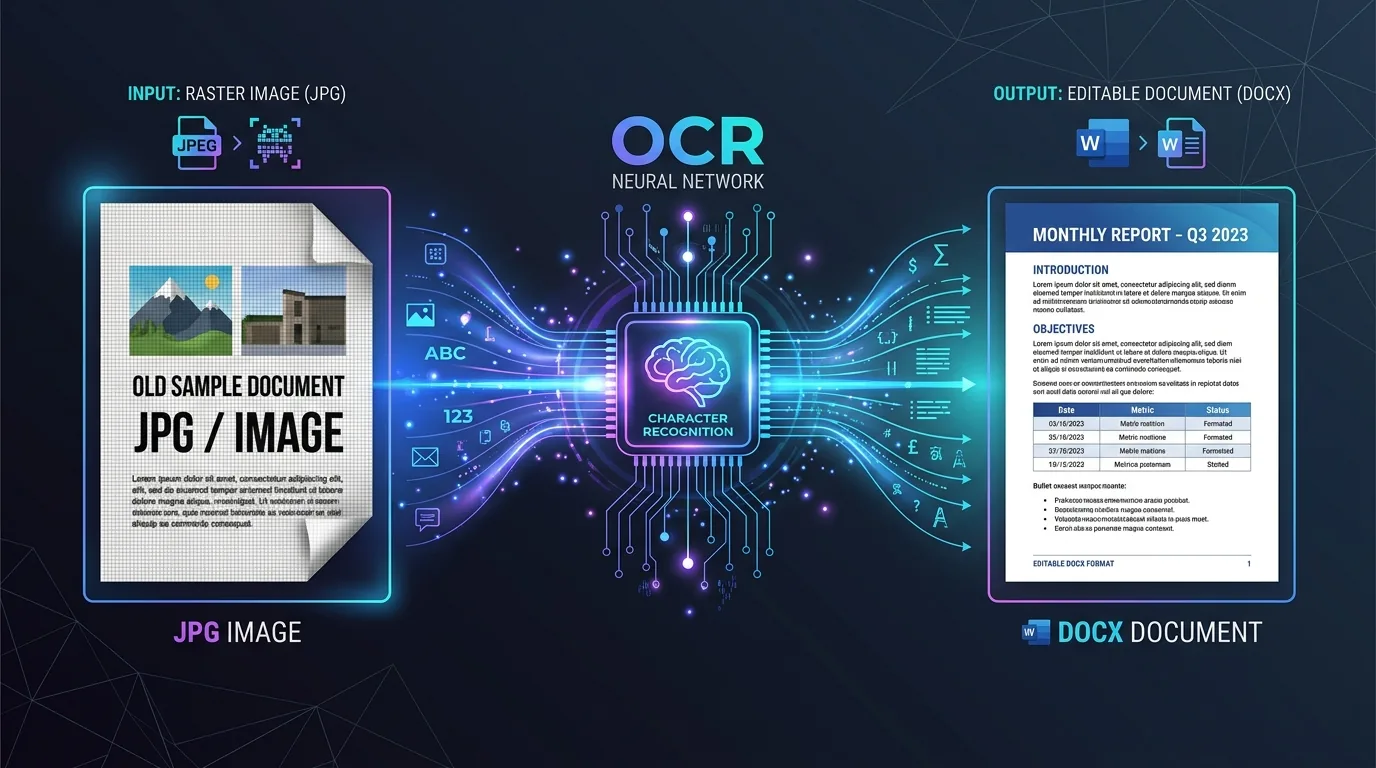
A JPG to WORD Converter is a tool designed to change image files into editable text documents. This conversion helps professionals save time by turning static pictures into editable documents.

jpg to word converter

This jpg to word converter provides an automated way to extract text from images. Convert scanned contracts or extract text from receipts to speed up office administration.

AI Photo Editor

An AI Photo Editor modifies picture properties to improve visual clarity. Remove shadows, increase contrast, and crop boundaries before starting Optical Character Recognition (OCR) text extraction.

Image Converter

An Image Converter changes files from one graphic layout to another. Convert files to PNG or JPG before sending them to the OCR pipeline to ensure format compatibility.

Tesseract OCR

The OCR engine performs text extraction using Optical Character Recognition technology to read characters from flat image files.

Word Document

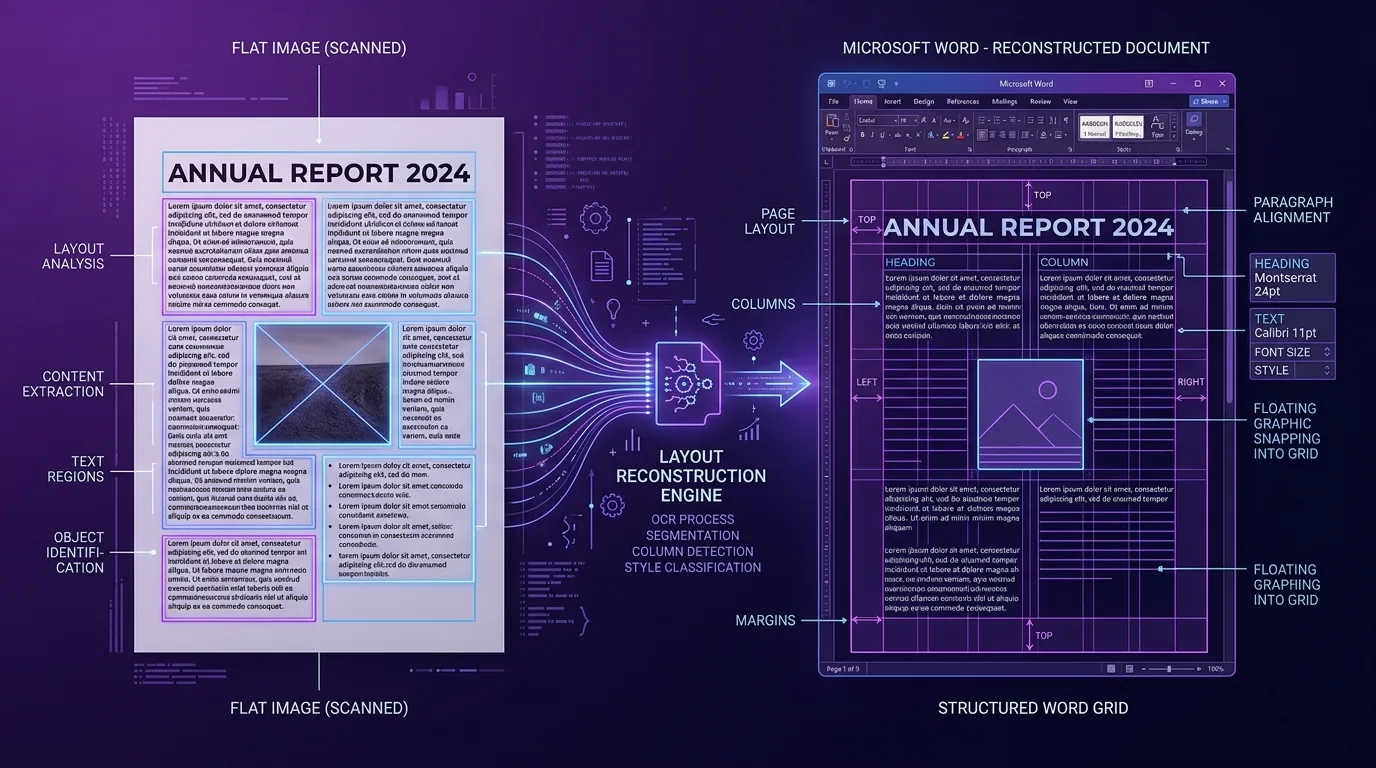
The output is a fully editable Microsoft Word document with layout preservation, maintaining original formatting and column layouts.

How to Convert JPG to WORD?

Convert JPG to Word by following three clear steps. No software installation is required for this operation.

1

Upload Your JPG

Upload your JPG file by dragging it into the drop zone. We offer multiple uploading options — drag and drop files, select them from local directories, or paste them using the clipboard.

2

Select OCR Language

Select your preferred OCR language from the dropdown menu. The multi-language OCR system supports document scanning in several languages for multilingual documents.

3

Convert & Download

Click the convert button to generate your editable document. Download speeds are fast, saving the Word document to your computer instantly.

Best Quality, Free & Easy to Use

Easy to Use

This utility is designed to be easy to use without complex configurations. Drag your files, press the convert button, and download the output instantly.

Best Quality

We deliver the best quality conversions by using neural models. The system runs accuracy optimization programs to ensure that text lines and columns align correctly.

Free & Secure

This platform is free & secure for all online visitors. All uploaded files are permanently deleted from our servers after 1 hour (3600 seconds) to maintain user privacy.

A JPG (Joint Photographic Experts Group) file is a compressed graphic format commonly used for digital photographs. It uses lossy compression to reduce file sizes, making it ideal for web publishing and sharing.

How to open a JPG file?

Open a JPG file by double-clicking it on Windows 10, using preview on macOS, or viewing it inside standard web browsers. These browsers include Google Chrome, Microsoft Edge, and Apple Safari.

Convert Files Between Multiple Formats

Convert other files to WORD format

Convert other files to WORD format, including PDF, PNG, and HEIC structures. Select the specific tool tab to launch the corresponding file conversion.

Convert Your JPG files to other formats

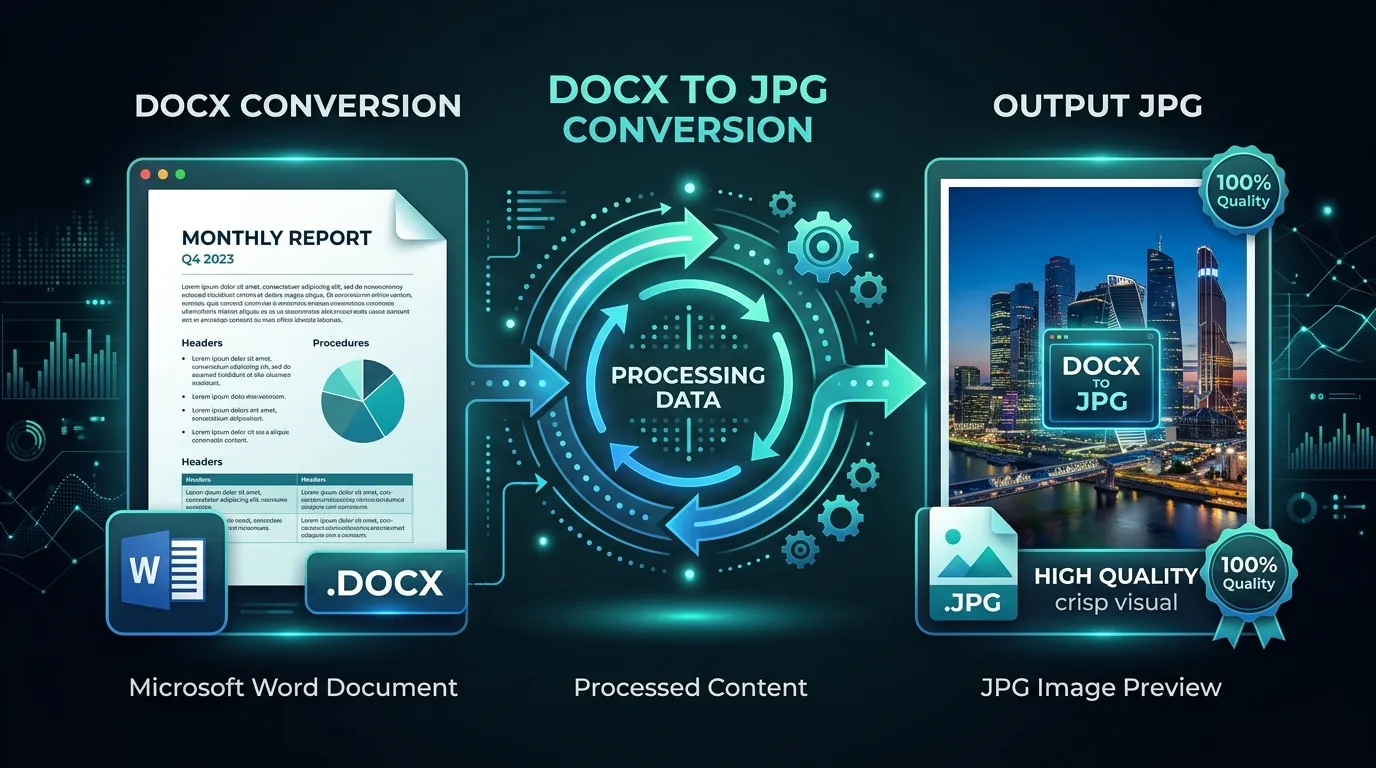
Convert your JPG files to other formats, if you need PDF files, TXT pages, or PNG images. Choose the desired format in the output settings dropdown.

PDF
JPG to PDF
TXT
JPG to Text
PNG
JPG to PNG
DOCX
JPG to DOCX

Your Data, Our Priority

We treat your data as our priority. DocuLens does not store personal data and deletes all temporary conversion logs automatically.

Safe in our hands

Your files remain safe in our hands because DocuLens operates fully client-side whenever possible and encrypts all network transfers end-to-end.

Client-Side Processing
End-to-End Encryption
Auto-Delete Files
3600
seconds until auto-delete

How to convert JPG to editable Word

Convert JPG to editable Word by using the client-side OCR engine. This engine extracts characters from flat image files without losing document formatting.

Convert JPG to Word online for free with the iLovePDF converters

You can convert JPG to Word online for free with the iLovePDF converters or related online conversion platforms. These tools run OCR pipelines to turn image pages into editable MS Word documents.

How to convert JPG to Word with OCR

Convert JPG to Word with OCR by placing your image file into the converter, selecting the document language, and clicking the extract button. We run Tesseract OCR for client-side transcription. Other commercial engines like ABBYY FineReader, PDFelement by Wondershare, FreeOCR, and OCR.space also provide character extraction tools.

OCR Engine Comparison

OCR EngineTypeMulti-languageBatch conversionAccuracy
Tesseract OCRFree / Open Source100+ languagesYes
ABBYY FineReaderCommercial190+ languagesYes
PDFelement by WondershareCommercial20+ languagesYes
FreeOCRFreeLimitedNo
OCR.spaceFree API25+ languagesYes

Why convert JPG to Word using Optical Character Recognition (OCR)

Convert JPG to Word using Optical Character Recognition (OCR) to edit document text without manual retyping. This OCR technology preserves the original formatting and column layouts.

Convert, Optimize, Edit, and Sign your files with productivity tools

Manage your documents by using productivity software. Popular options include Adobe Acrobat, PDFelement by Wondershare, and Microsoft Word.

Start converting your JPG to Word with the iLovePDF tools

You can start converting your JPG to Word with the iLovePDF tools or similar web converters to automate your daily digitizing pipelines.

Convert JPG to Word offline and on the go

Convert JPG to Word offline and on the go, if you install mobile OCR apps on your mobile phone or use offline conversion software on your computer.

Mobile OCR apps and desktop conversion software let you convert without internet, handle low-resolution images, and automate weekly reports. Data entry automation reduces manual retyping during tax season or for legal document review.

JPG To Word Converter

A JPG To Word Converter is a program that digitizes scanned papers. It parses words, numbers, and layout elements from image files.

Image to Word Converter

An Image to Word Converter helps document professionals manage flat files. Use this converter to turn photos of documents into editable formats.

How to Convert JPG to Word Online?

Convert JPG to Word online by dragging the file to the conversion panel, selecting the language, and downloading the output document. No software installation is required for this operation.

Key Features of Jpeg to Word Converter

This utility provides 6 key features:

Multiple uploading options

We offer multiple uploading options for user convenience. Drag and drop files, select them from local directories, or paste them using the clipboard.

Convert mathematical equations

The system can convert mathematical equations and numbers. It transcribes standard characters alongside mathematical symbols.

Start Over Option

Use the start over option to clear all converted files. This button resets the upload zone and starts a new conversion session.

Download the File

Click the download button to save the output file. Download speeds are fast, saving the file to your computer instantly.

Unlimited file conversions

We support unlimited file conversions without subscription gates. Users can process as many documents as needed daily.

No Watermark

All generated documents contain no watermark. This ensures the output files are ready for official corporate use.

20 Converter Tools — One Platform

Convert any file format to editable Word documents. Select the tool that matches your source format — each converter includes a personalized calculator, detailed guides, and format-specific OCR optimization.

Frequently Asked Questions

Yes! DocuLens offers a generous free tier that allows up to 5 conversions per day with files up to 20MB each. For unlimited conversions and priority processing, check out our Pro plan starting at $9/month.

DocuLens supports JPG, JPEG, PNG, WebP, HEIC, BMP, and TIFF formats. We automatically optimize your images for the best OCR results regardless of the source format.

Our AI-powered OCR engine achieves 99.7% accuracy on printed text and 95%+ on clean handwriting. For best results, ensure your images are well-lit, in focus, and have sufficient resolution (300 DPI or higher recommended).

Absolutely. All file transfers are encrypted with 256-bit SSL. Your uploaded images and converted documents are automatically deleted from our servers within 1 hour. We never store, sell, or index your content. DocuLens is fully GDPR and SOC 2 compliant.

Yes! When you upload multiple images, you can choose to combine them into a single Word document (each image becomes a page) or convert them into separate documents. The batch processing feature handles up to 10 images at once.

Yes, our AI goes beyond simple text extraction. DocuLens recognizes and preserves tables, columns, headers, bullet points, font sizes, bold/italic formatting, and even colored text. The output Word document closely mirrors the original layout.

No account is needed for free conversions. Simply visit DocuLens, upload your images, and download your Word documents. Creating an optional account unlocks conversion history, cloud storage, and higher usage limits.